How do I ban or unban a user from my organisation?
Learn how to ban or unban users via the org dashboard to temporarily restrict or restore access.
Stay in control of your organization's member list by banning or unbanning users as needed. Here’s how to manage user access quickly and confidently.
Step 1: Open your organization’s dashboard.
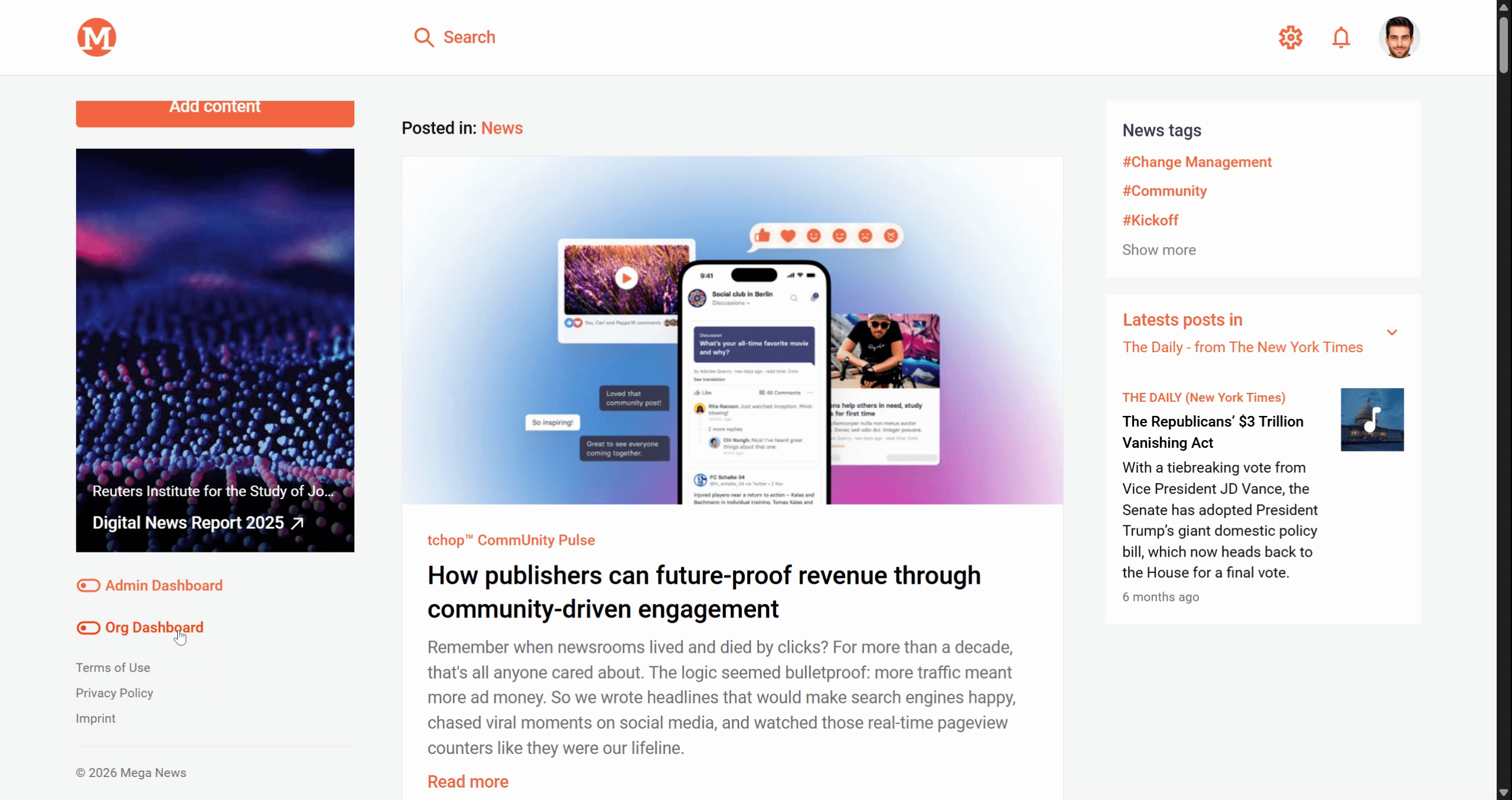
Step 2: Click Users in the sidebar to view your member list.
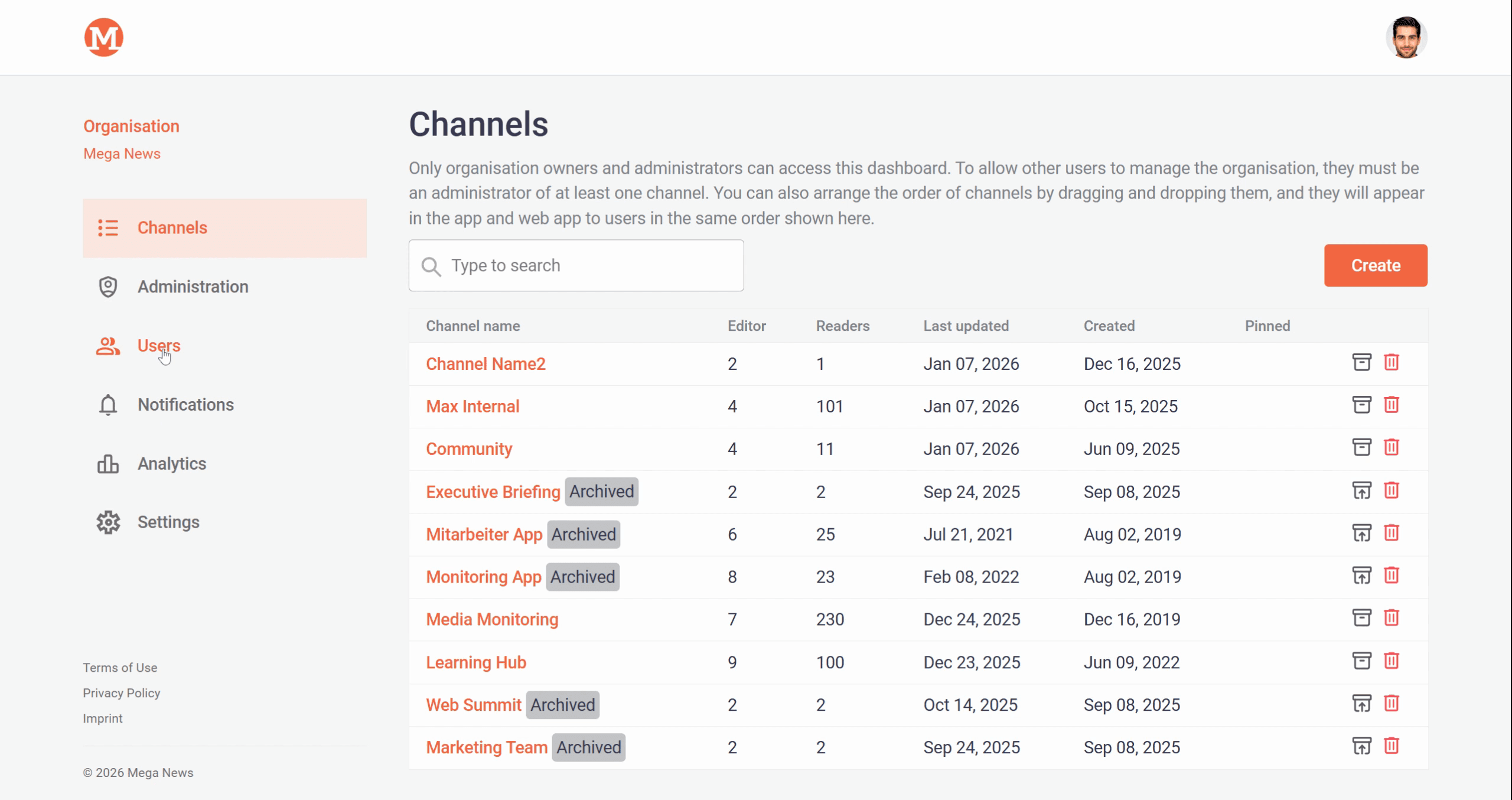
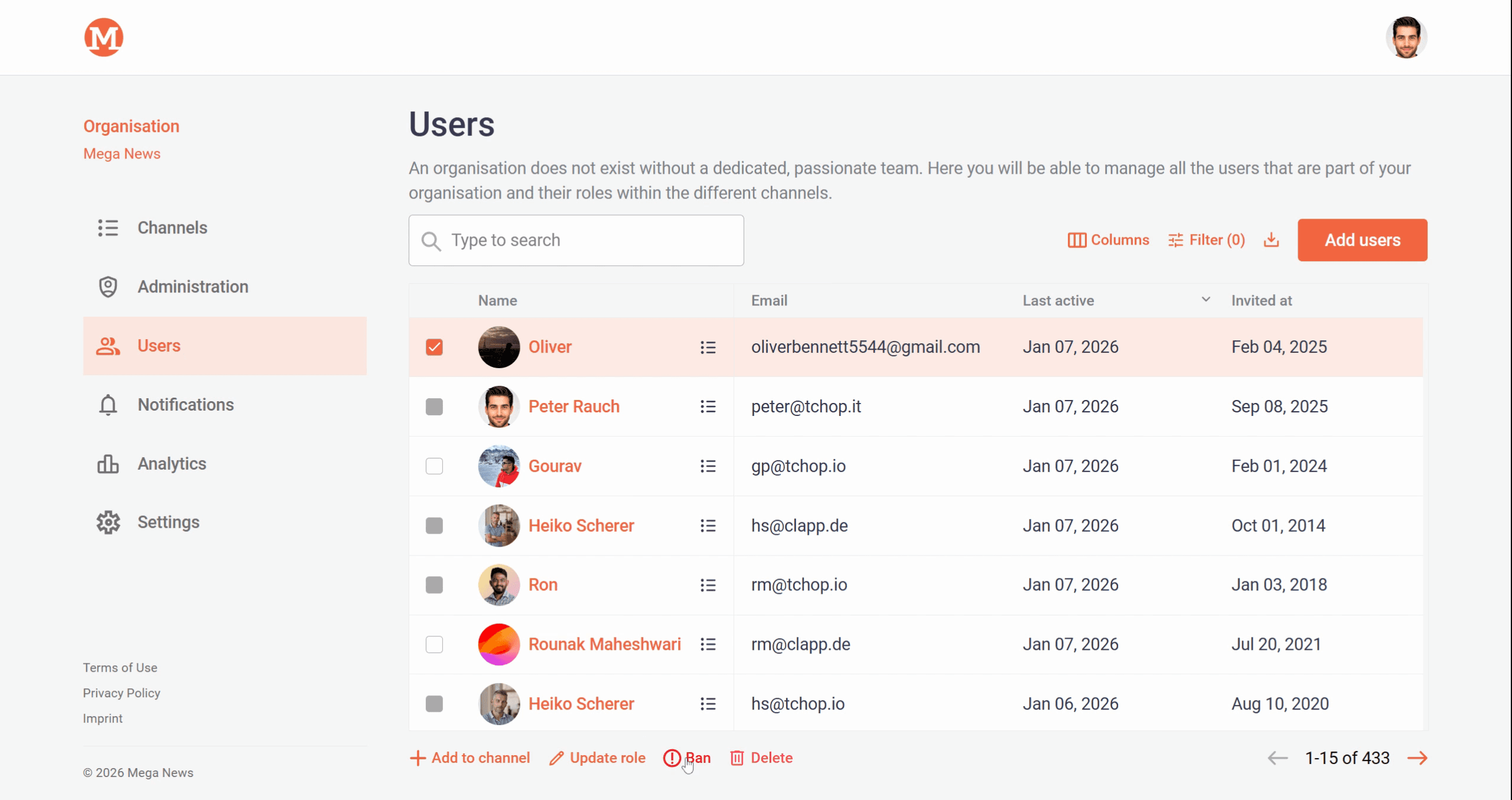
Step 3: Find and select the user you want to block.
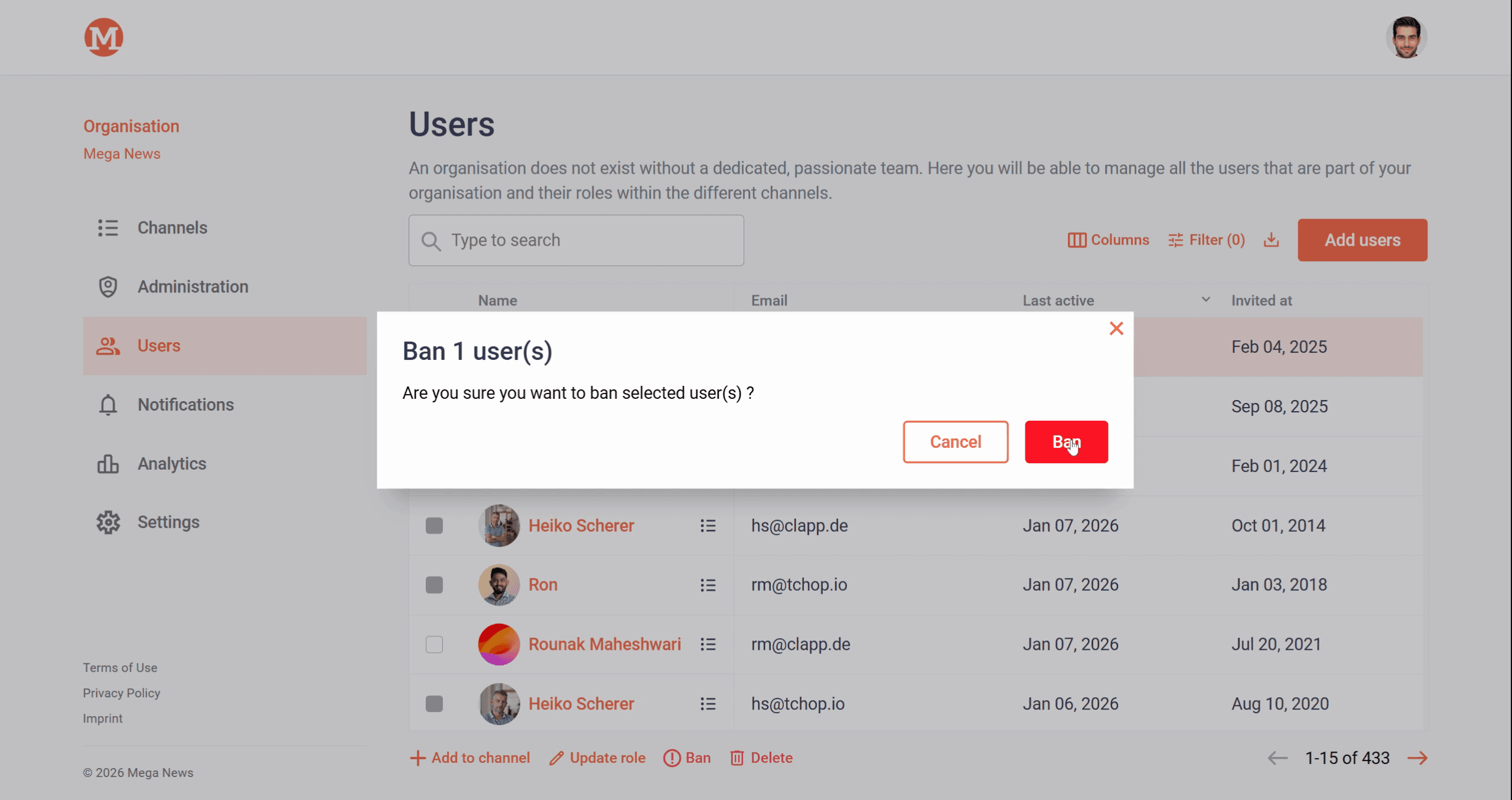
Step 4: Click Ban, then confirm your choice in the dialog.
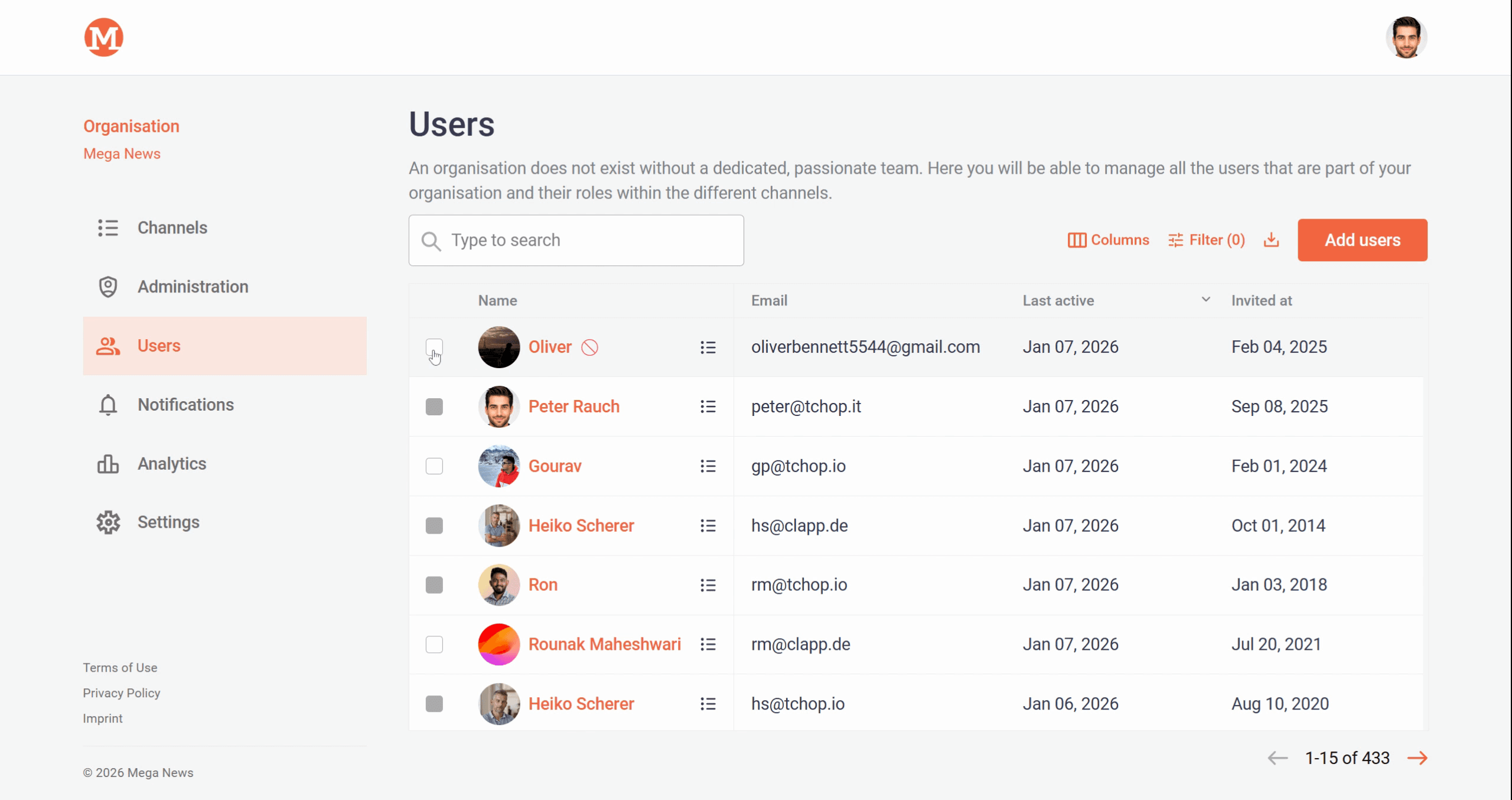
Step 5: Once confirmed, the user appears as banned in your list.
Want to bring a user back? Here’s how to unban them:
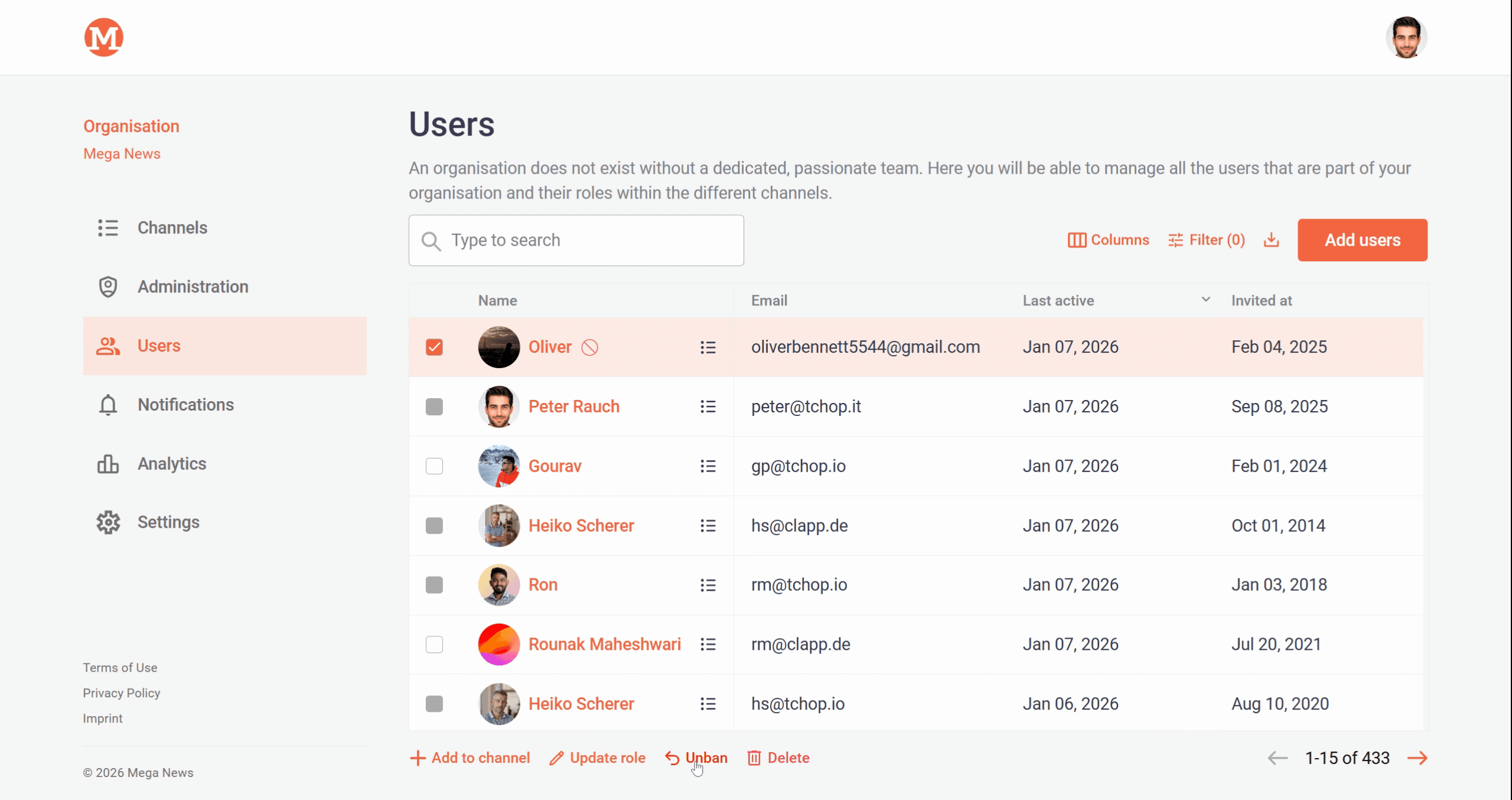
Step 1: On the Users page, look for any banned users. Select the banned user you want to reinstate.
Step 2: Click Unban next to their name.
Step 3: Confirm unbanning in the final prompt.
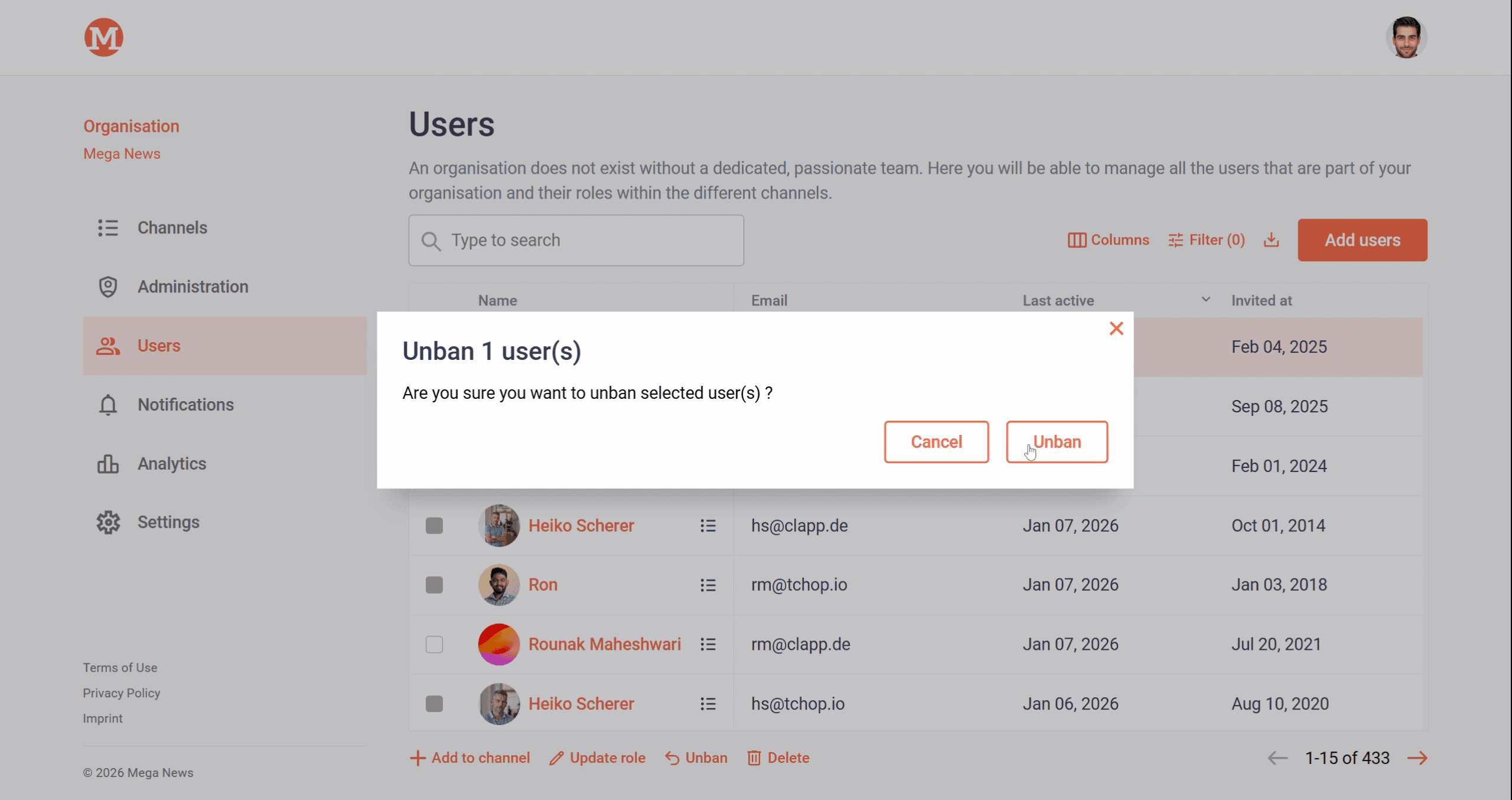
The user is now restored and regains access to your organization.
Managing user status helps keep your organization safe and collaborative. Feel free to repeat these steps whenever you need to restrict or restore a member’s access.
Related articles