
In-app notification
What is an in-app notification?
An in-app notification is a message displayed inside an application while that application is open and in use. An in-app notification needs no permission from the operating system and reaches only people who open the app, at the moment they open it.
How does an in-app notification reach a screen?
An in-app notification never leaves the app. The app receives content from its own server, decides that something is worth showing, and draws a banner, a badge or a full-screen card inside its own interface. No operating-system service is involved, which is why it appears with no prompt and no setup. The reach of the channel is therefore the number of people who open the app while the message is live, and its timing is the moment they do.
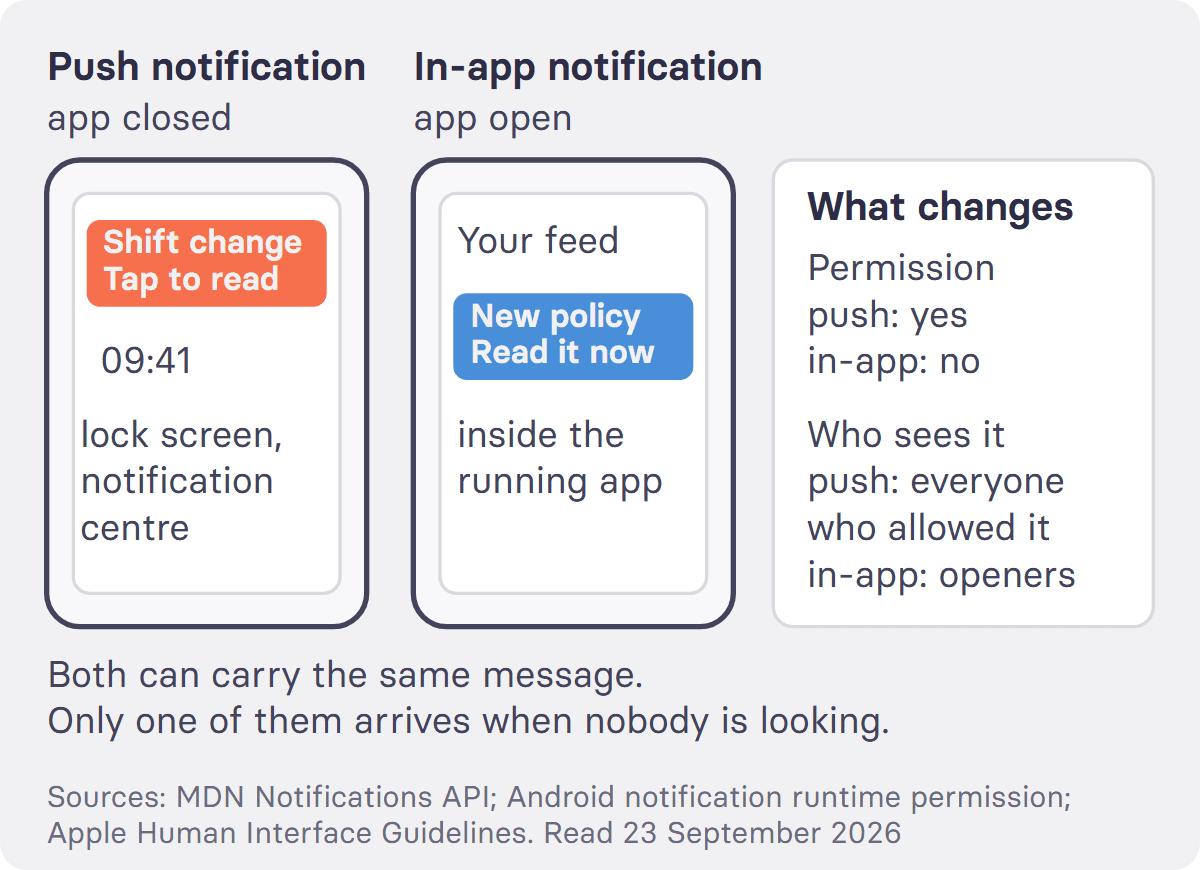
What is the difference between an in-app notification and a push notification?
A push notification travels through the operating system and arrives whether or not the app is open. An in-app notification is drawn by the app and arrives only while it is. That single difference produces every other one. A push notification needs permission, granted on the device by the person, not by the sender. The MDN Notifications API reference states it: "In order to use notifications, the user needs to grant the current origin permission to display system notifications." On Android the permission has been an explicit runtime request since Android 13, described in the Android developer documentation as the runtime permission POST_NOTIFICATIONS. An in-app notification asks for nothing, because it is just part of the screen. Push therefore has the larger reach and the smaller consent base. In-app has the smaller reach and no consent problem at all. Both can carry the same words, and only one of them arrives when nobody is looking.
When is an in-app notification the wrong choice?
Whenever the message has to arrive rather than be found. A shift change at 05:30, a site closure, a safety notice with a deadline. None of these can wait for somebody to open an app. An in-app notification is also the wrong choice when you need to know the message was delivered. Delivery and opening are the same event here, so you only learn about the people who were already there. The limit of the format is that it cannot create attention. It can only use attention that already exists.
That limit matters most where attention is scarcest. In Germany 9.3% of 42.6 million employed people worked at night at least occasionally in 2024, and in health care the share was 17.6% (Destatis, Mikrozensus 2024). Across the EU, 64.6% of people employed in enterprises with 10 or more staff have internet access for business purposes, falling to 39.2% in German food, beverage and tobacco manufacturing (Eurostat, isoc_ci_cm_pn2, 2025). For staff like these, a message that waits inside an app is easy to miss.
The reverse case is just as clear. In-app is the right choice for anything that would be irritating on a lock screen, for onboarding hints, for a policy note that matters only inside the app, and for the second message in a sequence whose first message was the push notification.
How does tchop use in-app notifications alongside push?
tchop sends push notifications and in-app messages from the same admin dashboard, so a post in the feed can be announced by push on the lock screen and by an in-app message for everyone who opens the app or the web app while it is live. An in-app message in tchop appears as a pop-up over the current screen or, where the organisation uses the personalised news feed, as a card in the feed. It stays live for a window the editor sets, from 12 hours to a year (72 hours by default), and each person sees it once. AOK, one of Germany's largest statutory health insurers, runs its employee apps on tchop across several regional AOKs, for staff in branch offices and administration, with a mix of editorial and personalised push notifications. tchop does not deliver news or alerts by SMS, so anyone who uses neither the app nor the web app is outside both channels and needs a different route.
More detail sits in the tchop engagement tools and the glossary entry on push notifications.
FAQs: in-app notification
What does "in-app notification" mean?
It means a message shown inside an app to someone who is using that app at that moment. It is drawn by the app itself rather than by the phone, so it needs no notification permission and it appears in the app's own style rather than in the system banner style.
What is an in-app push notification?
A loose term, and usually the wrong one. Some vendors use it for an in-app message styled to look like a system banner. The underlying mechanism is still in-app, which means it reaches only people who opened the app. If it arrives while the app is closed, it is a push notification whatever the interface calls it.
What is an example of a push notification?
A shift change arriving on a locked phone at 05:30, with the employer's app name above it. Nobody opened anything. The message came from a server, through Apple's or Google's push service, to a device that had the app installed and had allowed notifications. The Push API behind the web version of the same thing is available, fully or partially, to 96.27% of tracked global browser use (Can I use, accessed 23 September 2026).
Should push notifications be on or off?
For a work app, on, and it is the employee's choice rather than the employer's. The practical advice for whoever runs the app is to ask for the permission at a moment when the value is obvious, such as the first rota change, and not on the first screen after install. In Germany, introducing a technical system designed to monitor behaviour or performance also needs the works council's agreement under §87 Abs. 1 Nr. 6 BetrVG. The Federal Labour Court reads "designed to" as objectively capable of it (BAG, 13 December 2016, 1 ABR 7/15), so per-person read receipts belong in that agreement, while statistics that cannot be broken down to individuals do not count as monitoring under the same decision.