
Poll cards
Create engaging polls with single or multiple choice logic and get instant feedback on any topic - right from the news feed.
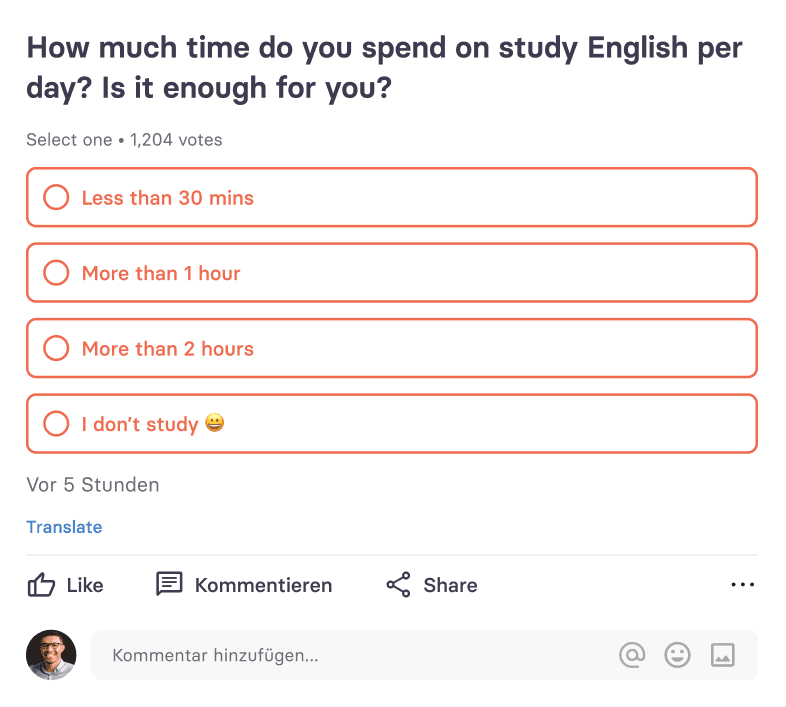
The Poll card allows users and editors to create interactive surveys inside your tchop app - similar to what you know from WhatsApp or X (formerly Twitter). With just a few taps, you can collect opinions, run quick votes, and spark engagement right in the feed. You have full freedom to push, pin or distribute the card to single or all users in the chat.
Polls are one of the easiest ways to activate your community. They lower the barrier to participation and make interaction effortless.
Why polls matter for your community
Polls are powerful because they:
Encourage participation with minimal effort (one or two clicks)
Increase engagement rates in the news feed
Provide instant feedback from your audience
Create conversation starters
Help you validate ideas or editorial directions
They are perfect for communities, publishers, internal communication apps, fan communities or membership models.
How the poll card works
A Poll card can be created directly inside a mix, just like any other content card.
You can define:
A clear question
Single-select or multi-select options
Optional media (image, video or image gallery)
Duration, means when the poll shall be closed (time-limited polls)
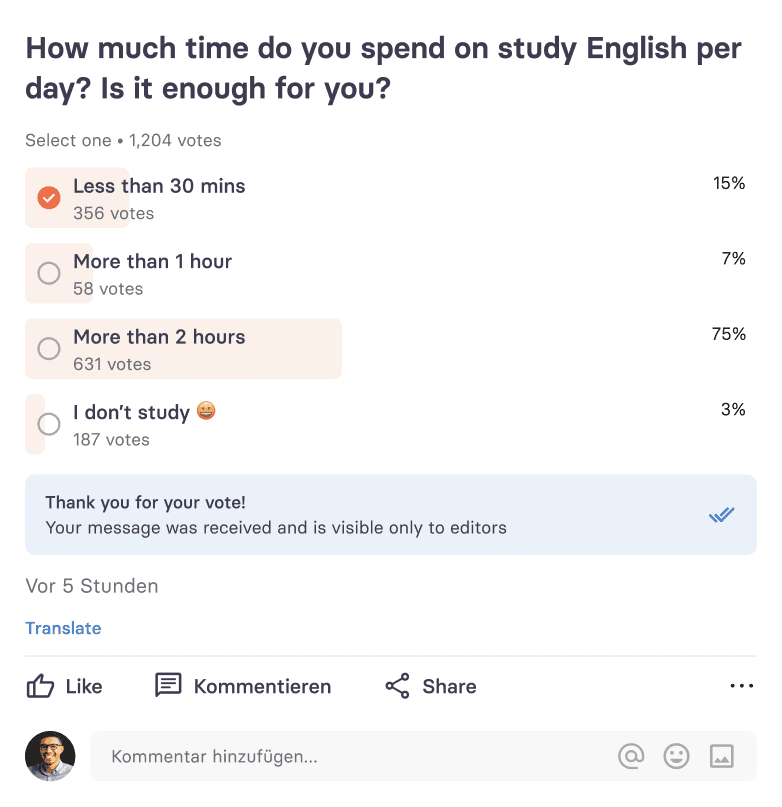
Whether results are visible immediately after voting or if you want to communicate them later
Wether total number of votes should be displayed or if you just want to show percentages per option
Users can vote with one tap. Results update dynamically. You have full control about how much you want to reveal.
Polls can be (like all other cards):
Published in the main news feed
Reposted in the news feed or mix
Pinned to the top
Shared into chats
Linked inside other cards
Promoted via push notifications or in-app messages
The huge strength is: users can vote right from the feed, no need to open a separate page, load a survey. It introduces the simplicity that users are used to from their favourite apps, but all data, full control stays with you.
Editorial & community use cases
Poll cards work extremely well for:
Quick audience feedback (“What should we cover next?”)
Event-based voting (e.g. match predictions, debate topics)
Internal employee sentiment checks
Product or feature feedback
Light-weight engagement between major editorial pieces
Driving traffic to follow-up articles (“Results & Analysis”)
Polls can also be a smart way to start threads and discussions after voting. Of course you can also continue discussion about the topic in the comments at the bottom of the card.
Control & flexibility
Like all tchop cards, Poll Cards come with full control:
Define who is allowed to create polls (admins, editors, selected user roles)
Enable or disable comments below polls
Restrict polls to specific channels or mixes
Combine with tagging and analytics tracking
Decide if the voting should happen anonymously or not
All interactions are fully tracked in your analytics dashboard. Participating in a poll counts as engagement.
Best practices
To get the most out of Poll cards:
Keep questions short and clear
Limit answer options (3–5 is ideal, you can add up to 20 though)
Use visually engaging teasers (but only if they add to the question)
Follow up with results or related content
Combine polls with push notifications or pin them to the feed for higher reach
Polls work best when they feel timely, relevant, and easy.
Summary
Poll cards are a simple yet powerful way to activate your community and collect instant feedback. With minimal effort from users and full control for editors, they turn passive scrolling into active participation. Use them regularly to spark interaction, validate ideas, and strengthen the connection between your content and your audience.